Getting Started
How to Sell Digital Products and Get Paid in Crypto Instantly

If you want to sell digital products for crypto and get paid the moment a sale happens, Summon+ is built for exactly that. No complex setup, no waiting for account approval, and no payment processor headaches.
This guide walks you through every step to go from zero to your first sale in under five minutes.
From zero to your first sale in under five minutes. No crypto knowledge required.
In this article
- Go from zero to your first sale in under five minutes
- Your crypto wallet is created automatically when you sign up
- Get paid instantly in USDC the moment a sale happens
- Sell any digital product with one-time or subscription pricing
Step 1: Create Your Account in Seconds
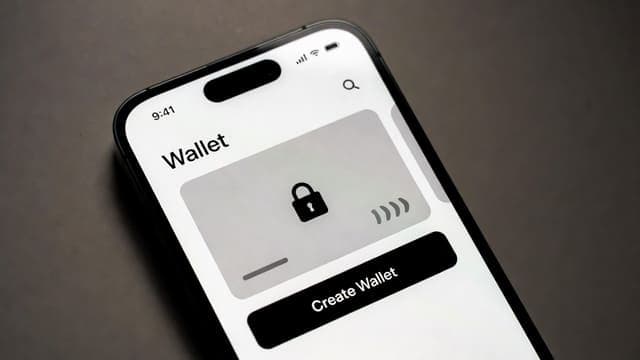
When you sign up on Summon+, your crypto wallet is created automatically. No seed phrases, no technical setup, and no crypto knowledge required. Just sign up and you are ready to sell digital products for crypto instantly.
Step 2: Set Up Your Store
Once you are signed in, head to “My Store” in the sidebar and click “Start Selling.” You will be guided through a simple setup flow.
Add your store name, write a short description of what you sell, and optionally upload a profile picture and banner. This is what buyers see when they visit your seller page, so make it count.
Step 3: List Your First Product
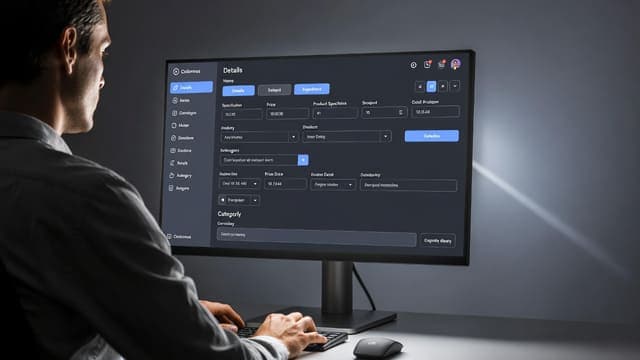
Click “Add Product” and fill in the details. Give your product a clear title, write a compelling description, upload a thumbnail image, and set your price in USDC.
You can choose between a one-time payment or subscription pricing with flexible tiers: 1 month, 3 months, 6 months, or 12 months.
When setting up your product, you can also:
- Choose your product category (e-book, course, template, paid group, software, and more)
- Upload your digital files or provide access instructions
- Add optional pre-purchase questions (for example: “What is your Telegram username?”)
- List the features or everything that is included with the product
Step 4: Share Your Quick Checkout Link
Every product gets a unique Quick Checkout link. Copy it and drop it in your Twitter bio, Telegram channel, Instagram story, or anywhere else your audience hangs out.
When someone clicks the link, they land directly on a clean and streamlined checkout page. No browsing, no distractions, just a smooth purchase experience. Learn how to turn your social media bio into a full storefront in our guide on using your Quick Checkout link on social media.
Step 5: Get Paid Instantly in USDC
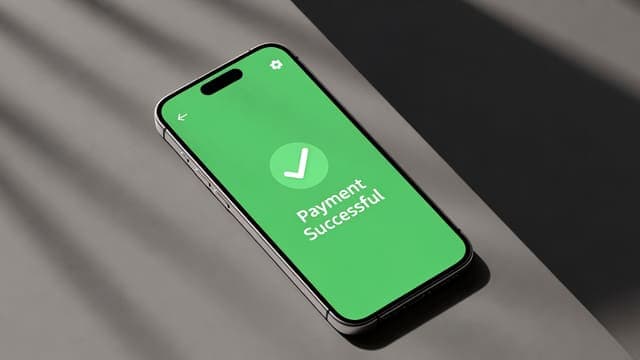
When a buyer completes a purchase, the USDC payment goes directly to your wallet. There is no 7-day hold, no pending period, and no minimum payout threshold.
The money is yours the moment the transaction confirms on the Solana blockchain, which typically takes less than a second. This is what makes Summon+ the best way to sell digital products for crypto and get paid without delays.
What Can You Sell on Summon+?
Summon+ supports virtually any type of digital product. Each of the most popular categories has its own dedicated playbook on the blog, covering pricing, audience, and launch strategy for that specific format:
- Sell eBooks online: package your knowledge as a PDF and sell it unlimited times
- Sell AI prompts online: bundle prompts that deliver consistent, valuable output
- Sell Canva templates online: design once, sell to creators who need shortcut designs
- Sell Notion templates online: build systems for freelancers and small teams
- Sell trading signals online: subscription revenue from a provable market edge
- Build a paid Discord community: gated access to a network you host
- Build a paid Telegram community: the same playbook for crypto and trading audiences
For the full breakdown of ten high-margin product types and who buys each one, read our complete guide to 10 digital products you can start selling today.
Common Scenarios Sellers Move to Summon+ For
Most sellers do not start on Summon+ because they want to be paid in crypto. They move here because their current platform is actively costing them money. The specific playbooks cover each scenario in depth:
- Sell without chargebacks: why crypto-native sellers stopped losing revenue to disputes
- Sell without a website or email list: use a Quick Checkout link as your entire storefront
- Sell globally with no restrictions: accept payments from buyers in any country
- Sell without a registered business: start earning before you incorporate anything
- Leave Gumroad behind: the most common migration path and why
- Compare Summon+ to Whop: feature-by-feature breakdown for digital sellers
- Compare Summon+ to Patreon: why creators are switching to crypto-native monetization
- Build passive income: how to structure a catalog that sells while you sleep
- Sell on TikTok: turn views into buyers with a frictionless mobile checkout
Frequently Asked Questions About Selling Digital Products for Crypto
Summon+ supports virtually any digital product including e-books, online courses, templates, trading signals, paid Telegram communities, software tools, and coaching programs. If it can be delivered digitally, you can sell it on Summon+.
Ready when you are
Set up your store in under two minutes.
Instant USDC payouts, no chargebacks, no platform lock-in.
Open Summon+
Written by
Gnome · Editorial lead, Summon+
Playbooks on selling digital products, pricing strategy, and stablecoin payment infrastructure. No fluff.
The full series
21 guides in this playbook
- 01Patreon Alternative for Crypto: Why Creators Are Making the Switch8 min
- 02How to Get More Digital Product Sales Without a Bigger Audience8 min
- 03How to Sell Digital Products on TikTok and Turn Views Into Sales9 min
- 04Whop Alternative for Digital Products Without Chargebacks12 min
- 05How to Make Passive Income Selling Digital Products in 20268 min
- 06How to Sell Digital Products Without Gumroad8 min
- 07How to Sell Digital Products Without a Business Registration6 min
- 08How to Sell Digital Products Without a Website or Email List7 min
- 09Why Digital Sellers Are Switching to Crypto Payments6 min
- 10How to Use Claude to Write and Sell Digital Products Faster6 min
- 11How to Sell AI Prompts Online and Get Paid Instantly6 min
- 12How to Sell eBooks Online and Get Paid Instantly6 min
- 13How to Sell Canva Templates Online and Get Paid Instantly6 min
- 14How to Sell Notion Templates Online and Get Paid Instantly6 min
- 15How to Sell Trading Signals Online and Get Paid Instantly6 min
- 1610 Digital Products to Sell Online and Start Earning Today8 min
- 17How to Use an Affiliate Program to Multiply Your Digital Product Sales5 min
- 18How to Price Your Digital Products for Maximum Revenue5 min
- 19How to Turn Your Social Media Bio Into a Storefront5 min
- 20How to Sell Digital Products Globally With No Restrictions5 min
- 21Subscription vs One-Time Pricing: Which Model Is Right for You?5 min